Excel Courses in Singapore: Which Level Is Right for You?
Course Fee Grants
Laptop & Exercises
eBook Provided
Get Certified
Classroom Excel courses at Fortune Centre, near Bugis MRT. Up to 70% grant: from S$195.00 after grant, incl. GST. Laptop, eBook and exercises provided.
Find your Excel course in 3 questions
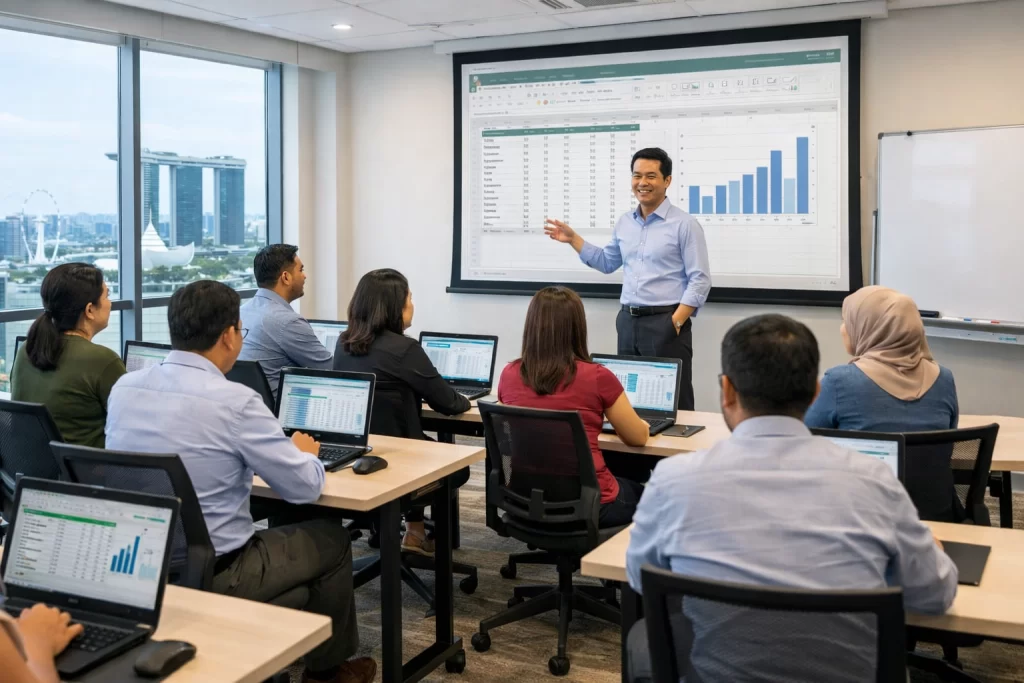
Every course is classroom training at Fortune Centre. Compare all courses below.
Compare Excel courses
| Course | Level | Who it is for | Days | After-grant price (incl. GST) | Next dates |
|---|---|---|---|---|---|
| Basic-Intermediate Excel | Beginner to intermediate · 2 days | New or self-taught users who want formulas, tables and charts | 2 | S$195.00 | 23–24 Nov 3–4 Dec 21–22 Dec |
| Advanced Excel | Intermediate to advanced · 3 days | Daily users who want pivot tables, lookups and advanced formulas | 3 | S$292.50 | 14, 21 & 28 Nov 18–20 Nov 14–16 Dec |
| Advanced Data Analytics & Visualization with Excel | Advanced · 2 days | Users who build dashboards, data models and visual reports | 2 | S$351.00 | 30 Nov – 1 Dec |
| Microsoft 365 (Word, Excel, PowerPoint) with Copilot | Beginner to intermediate · 3 days | Office users who want to work faster in Word, Excel and PowerPoint with Copilot | 3 | S$382.20 | 14, 21 & 28 Nov 18–20 Nov 5, 12 & 19 Dec |
| Excel for HR | Intermediate · 2 days | HR teams who manage people data and HR reports in Excel | 2 | S$390.00 | 16–17 Nov 25–26 Jan 11–12 Mar |
| Power Query & Power Pivot | Intermediate to advanced · 2 days | Users who clean, combine and model data from many sources | 2 | S$390.00 | 23–24 Nov 7–8 Dec 18–19 Jan |
| Excel VBA | Advanced · 3 days | Users who want to automate repetitive Excel tasks with macros and VBA | 3 | S$374.40 | 18–20 Nov 14–16 Dec 11–13 Jan |
After the 70% grant: 30% of the course fee plus 9% GST on the full fee. Other eligible learners receive a 50% grant.
Excel courses and next dates
- Basic-Intermediate Excel
- Advanced Excel
- Data Analytics with Excel
- Microsoft 365 with Copilot
- Excel for HR
- Power Query & Power Pivot
- Excel VBA
Basic-Intermediate Excel
Beginner to intermediate2 daysClassroomSWDA-funded
New or self-taught users who want formulas, tables and charts.
S$195.00 after 70% grant, incl. GST
Full fee S$545.00 incl. GST
Advanced Excel
Intermediate to advanced3 daysClassroomWSQ
Daily users who want pivot tables, lookups and advanced formulas.
S$292.50 after 70% grant, incl. GST
Full fee S$817.50 incl. GST
Advanced Data Analytics & Visualization with Excel
Advanced2 daysClassroomWSQ
Users who build dashboards, data models and visual reports.
S$351.00 after 70% grant, incl. GST
Full fee S$981.00 incl. GST
Need a weekend class? WhatsApp us
Microsoft 365 (Word, Excel, PowerPoint) with Copilot
Beginner to intermediate3 daysClassroomWSQ
Office users who want to work faster in Word, Excel and PowerPoint with Copilot.
S$382.20 after 70% grant, incl. GST
Full fee S$1,068.20 incl. GST
Excel for HR
Intermediate2 daysClassroomWSQ
HR teams who manage people data and HR reports in Excel.
S$390.00 after 70% grant, incl. GST
Full fee S$1,090.00 incl. GST
Need a weekend class? WhatsApp us
Power Query & Power Pivot
Intermediate to advanced2 daysClassroomWSQ
Users who clean, combine and model data from many sources.
S$390.00 after 70% grant, incl. GST
Full fee S$1,090.00 incl. GST
Need a weekend class? WhatsApp us
Excel VBA
Advanced3 daysClassroomSWDA-funded
Users who want to automate repetitive Excel tasks with macros and VBA.
S$374.40 after 70% grant, incl. GST
Full fee S$1,046.40 incl. GST
Need a weekend class? WhatsApp us
Excel course FAQ
How much does an Excel course cost in Singapore?
After the 70% grant, Basic-Intermediate Excel is S$195.00 incl. GST and Advanced Excel is S$292.50 incl. GST. GST (9%) is charged on the full course fee. Prices for the other courses are in the table above.
Which Excel course should I take?
New to Excel or self-taught: Basic-Intermediate Excel (2 days). Daily users who want pivot tables and lookups: Advanced Excel. Dashboards and data models: Advanced Data Analytics & Visualization with Excel. Answer the 3 questions above for a recommendation.
Is there an advanced Excel course for people who already use Excel?
Yes. Advanced Excel covers pivot tables, lookups and advanced formulas. It is taught in the classroom at Fortune Centre.
Can I use SkillsFuture Credit for Excel courses?
Yes. Singaporeans can use SkillsFuture Credit to pay the balance after the grant.
What grant applies to these courses?
Up to 70% course fee grant, for example for Singapore Citizens aged 40+ and SME-sponsored employees. Other eligible learners receive 50%. Employers may also be eligible for up to 90% SFEC support.
Are the classes in a classroom?
Yes. All classes are classroom training at Fortune Centre, 190 Middle Road, from 8:45 am to 5:45 pm.
Do I need to bring a laptop?
No. A laptop with Excel is provided in the training room, together with an eBook and exercises.
Will I get a certificate?
WSQ courses lead to a WSQ Statement of Attainment. Basic-Intermediate Excel and Excel VBA are non-WSQ courses and lead to an Intellisoft Certificate of Completion. Neither is a Microsoft-issued certificate.
Can my company send a team?
Yes. Send us an enquiry or WhatsApp us and we will help with the class dates and SFEC.
Who are the trainers?
Trainers rated 4.7/5 for knowledge. We have trained 25,000+ students over 24+ years.
Do you teach VBA, Power Query or Excel for HR?
Yes, as separate classroom courses: Excel VBA, Power Query & Power Pivot, and Excel for HR. Each has its own card above.
When is the next class?
The next public classes are listed on each course card above and on each course page. They come from our live class schedule.

At Intellisoft Training, we offer the classroom Excel courses in Singapore for beginners, everyday users and advanced users.
You can join our Excel Training Courses for Beginner level, Intermediate level, or Advanced level leading to a WSQ Statement of Attainment or an Intellisoft Certificate of Completion, depending on the course. Our advanced Excel training in Singapore is for people who already use Excel at work.
All of our Excel courses are eligible for up to 70% of course fee grants. Singaporeans can also use their SkillsFuture Credit to pay the balance after the grant.
Companies can benefit from SME grants too for our Excel courses in Singapore.
Whether you are a beginner or an experienced Excel user, you will learn practical tips, shortcuts, formulas and functions that you can use at work straight away.
Why Choose Us?

ACTA Certified Trainers

Authorized Training Organization

WSQ
Certifications

Fully Set Up
Training Room

24+ Years
Experience in Education

Practical, Hands-on
Training

25,000+
Certified Students

32+
Courses

Useful & Handy
Student Guide

What You Learn in Our Excel Training Courses
Our basic and advanced Excel training courses in Singapore are packed with practical functions, tips and shortcuts that save you time at work.
Our funded Excel courses, from basic to advanced, cover these key topics:
- Entering & Editing Headings, Data, Dates and Basic Formula & Functions
- Using Absolute & Relative Referencing
- Creating Tables, Sorting & Filtering
- Begin with Simple Summary Functions & Advance to VLookup, Text, Logical, Database & Financial Functions
- Pivot Tables To Summarize Data
- Simple to Advanced Charting Functions
- Slicers & Timelines
- Infographics & Data Visualization
- Forecasting Data based on Data Modeling
- Finding Data Trends & Analyzing Data For Decision Making
- Creating Dynamic Dashboards for sharing, slicing and dicing by the users and management.
- Consolidation of Multiple Files
Microsoft Excel’s rich functionality allows you to summarize your data quickly by organizing and structuring your data correctly.
With powerful Filtering, Sorting & Searching Tools you are able to quickly and easily narrow down the criteria that will assist in your decisions.
Combine these tools with the Tables, Pivots, & Graphs you can find the information that you want quickly & easily even if you have hundreds of thousands of data items.
What you learn at each level
Basic-Intermediate Excel (2 days)
For new or self-taught users. You enter and format data properly, write formulas with relative and absolute references, use SUM, AVERAGE, IF, COUNTIF and SUMIF, turn ranges into tables, sort and filter large lists, and build clear charts. By the end of day two you can take a raw list and turn it into a tidy, printable report without help. Basic-Intermediate Excel course details
Advanced Excel course (3 days): pivot tables, VLOOKUP and advanced formulas
This advanced Excel training is for people who already use Excel every week. Advanced Excel classes run at Fortune Centre on weekdays or Saturdays, and you move from single formulas to analysis:
- Lookups: VLOOKUP and XLOOKUP, then INDEX and MATCH for the cases a simple lookup cannot handle.
- Advanced Excel formulas: IFS, SUMIFS, COUNTIFS and AND/OR to calculate only what meets your criteria, plus the statistical functions you need to summarise and analyse data.
- Pivot tables in depth: group sales by region, product, month or quarter; show sums, counts, averages and percentages; add slicers and timelines. We go through each pivot table feature step by step until every learner has built their own on the exercise files.
- Clean, error-proof data: Advanced Filter to pull out the records that meet several criteria at once, conditional formatting to spot duplicates, invalid codes and outliers, and data validation rules that stop wrong entries before they happen.
- Sharing safely: protect sheets, cells and workbooks, and set separate passwords to open or to edit a file, so you can share a report without exposing costs or price lists.
- Time savers: what-if analysis and a first look at recording macros for steps you repeat every month.
Advanced Data Analytics & Visualization with Excel (2 days)
For analysts and managers who report to others. You combine data from several sheets into a data model, build interactive dashboards with charts, slicers and timelines, and present trends so decision makers can read them at a glance. Data Analytics & Visualization course details
Specialist Excel courses
- Excel for HR: headcount, leave, payroll and HR reports from people data.
- Power Query & Power Pivot: clean and combine files from many sources once, then refresh them with a click.
- Excel VBA: automate repetitive tasks with macros and VBA.
- Microsoft 365 with Copilot: Word, Excel and PowerPoint, with Copilot to draft, summarise and analyse faster.
Pivot tables, VLOOKUP and the advanced Excel skills employers ask for
Most job descriptions that mention Excel ask for the same things: pivot tables, lookups, clean data and clear charts. Pivot tables let you summarise thousands of rows by any dimension with a few clicks and no formulas. Lookups join data from different lists, for example prices into an order list or department names into a staff list. Our advanced Microsoft Excel training spends the most time on exactly these, because they save the most hours at work. If you mainly need dashboards and data models, the Data Analytics & Visualization course takes these skills further.
How to choose your level
- You type data and use a few simple formulas: start with Basic-Intermediate Excel.
- You already use IF and SUM but struggle with VLOOKUP or pivot tables: take the Advanced Excel course.
- You build reports for managers and want dashboards: take Advanced Data Analytics & Visualization.
- You work in HR, combine many files, or repeat the same steps every month: Excel for HR, Power Query & Power Pivot, or Excel VBA.
Not sure? Answer the 3 questions at the top of this page, or WhatsApp us and a trainer will suggest a level.
Grants and funding for Excel courses
- Course fee grant: up to 70% of the course fee for Singapore Citizens aged 40 and above and for employees sponsored by an SME; other eligible Singapore Citizens and PRs receive a 50% grant. The after-grant prices above already include GST.
- SkillsFuture Credit: Singaporeans can use it to pay the balance after the grant, on the basic and the advanced Excel course alike.
- UTAP: NTUC members can claim part of the fee back under UTAP.
- Employers: up to 90% SFEC support for eligible employers, and Absentee Payroll for the hours staff spend in class.
Why learn Excel with Intellisoft Training
Every course is hands-on classroom training at Fortune Centre, near Bugis and Bencoolen MRT. A laptop, an eBook and exercise files are provided, so you practise on real examples rather than watching slides. Trainers are WSQ certified adult educators, rated 4.7/5 for knowledge in post-course evaluations, and you leave with a WSQ Statement of Attainment or an Intellisoft Certificate of Completion, depending on the course. We have trained 25,000+ learners in Singapore over 24+ years, and thousands of them come back for their next course.
Do You Have Any Questions
on Course Fee, Grant or Funding?
Ask Us. We’ll be happy to assist you.
Some of Our Clients


At Intellisoft, we are committed to providing quality training that helps you in learning the most practical & useful features of Microsoft Excel. whether you are a beginner or an advanced user. Microsoft Excel certification courses will help you to advance your career to the next level.
And with course fee funding for SME companies and local Singaporeans and PRs, everyone is a winner.
Begin by expanding your horizons with High-Quality Excel Training Courses leading to
Microsoft Excel Certifications Today!
And earn a WSQ Statement of Attainment or an Intellisoft Certificate of Completion in Microsoft Excel, depending on the course.
Get in Touch
Intellisoft Training Pte Ltd
10-08 Fortune Centre, 190 Middle Rd
Singapore 188979
(65) 6252-5033 (Call)
Useful Resources on Learning Excel in Singapore with Course Fee Grants

How to Use Copilot in Excel: A Practical Singapore Guide
New to Microsoft 365 Copilot? Our hands-on Microsoft 365 Copilot classroom training covers everything in this guide — WSQ-funded and SkillsFuture-claimable for Singapore professionals. To
Data Presentation with Excel: 5 Tips
Learn Data Presentation with Excel Are You Wondering How to Present Excel Data to Clients? Probably it makes you anxious when you see a big
How To Use Lookup Functions in Microsoft Excel?
Lookup Functions in Microsoft Excel: A Must Know For Every Analyst & Manager Yesterday I wrote about the Text Functions in Microsoft Excel, and many
Frequently Asked Questions About Microsoft Excel
Most people have a lot of questions about Microsoft Excel. We answer some of the most frequently asked questions about Microsoft Excel here at Intellisoft
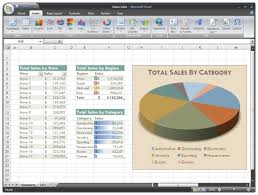
Using Excel Formulas to Automate Calculations
Use Excel Formulas to Automate Calculations Usually, I’ll jog in the evenings with my friend Mark 2-3 times a week. Mark is an exceptional runner
Excel Training Courses For Mastery in Routine Office Work
Excel Training for Mastery in Office Work : Courses in Singapore Microsoft Excel is used in almost every office, and almost all office workers use
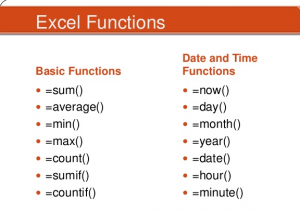
Useful Excel Functions
Useful Excel Text Functions – Intellisoft Training in Singapore There are many useful functions in Microsoft Excel, which are used in everyday work. Whether you