Basic-Intermediate Excel
New or self-taught users who want formulas, tables and charts.
S$195.00 after 70% grant, incl. GST
Full fee S$545.00 incl. GST
Intellisoft Training: WSQ Funded IT Training in Singapore
Upgrade Skills With WSQ & SkillsFuture Funding from Singapore Government

Classroom Excel courses at Fortune Centre, near Bugis MRT. Up to 70% WSQ grant: from S$195.00 after grant, incl. GST. Laptop, eBook and exercises provided.
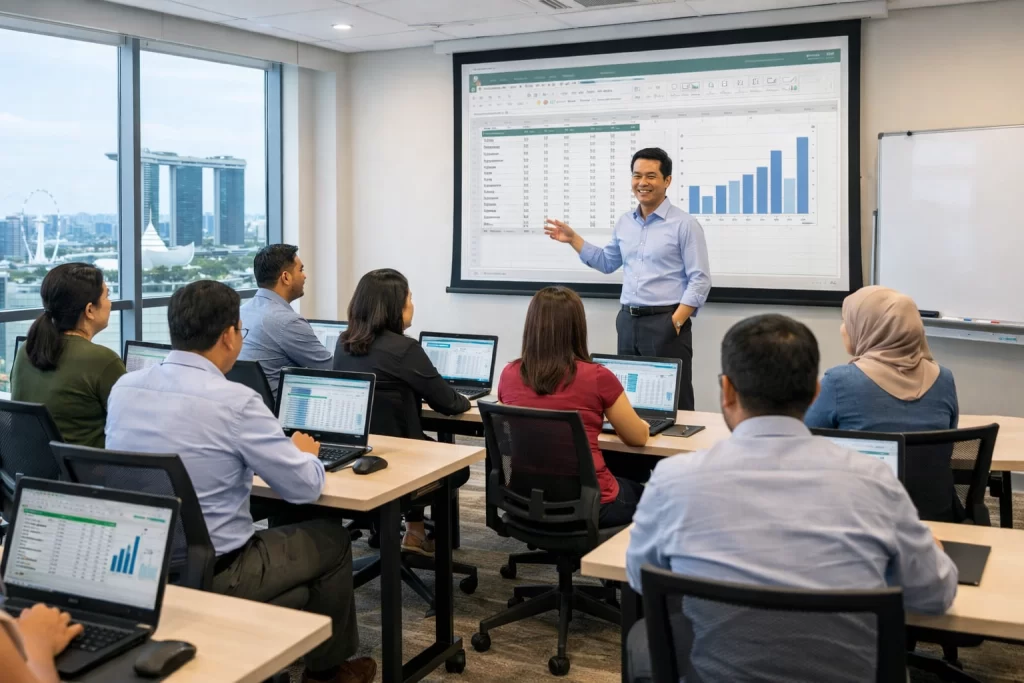
Every course is classroom training at Fortune Centre. Compare all courses below.
| Course | Level | Who it is for | Days | After-grant price (incl. GST) | Next dates |
|---|---|---|---|---|---|
| Basic-Intermediate Excel | Beginner to intermediate · 2 days | New or self-taught users who want formulas, tables and charts | 2 | S$195.00 | 26–27 Oct 2–3 Nov 23–24 Nov |
| Advanced Excel | Intermediate to advanced · 3 days | Daily users who want pivot tables, lookups and advanced formulas | 3 | S$292.50 | 14, 21 & 28 Nov 18–20 Nov 14–16 Dec |
| Advanced Data Analytics & Visualization with Excel | Advanced · 2 days | Users who build dashboards, data models and visual reports | 2 | S$351.00 | 30 Nov – 1 Dec |
| Microsoft 365 (Word, Excel, PowerPoint) with Copilot | Beginner to intermediate · 3 days | Office users who want to work faster in Word, Excel and PowerPoint with Copilot | 3 | S$382.20 | 14, 21 & 28 Nov 18–20 Nov 5, 12 & 19 Dec |
| Excel for HR | Intermediate · 2 days | HR teams who manage people data and HR reports in Excel | 2 | S$390.00 | 16–17 Nov 25–26 Jan 11–12 Mar |
| Power Query & Power Pivot | Intermediate to advanced · 2 days | Users who clean, combine and model data from many sources | 2 | S$390.00 | 23–24 Nov 7–8 Dec 18–19 Jan |
| Excel VBA | Advanced · 3 days | Users who want to automate repetitive Excel tasks with macros and VBA | 3 | S$374.40 | 18–20 Nov 14–16 Dec 11–13 Jan |
After the 70% WSQ grant: 30% of the course fee plus 9% GST on the full fee. Other eligible learners receive a 50% grant.
New or self-taught users who want formulas, tables and charts.
S$195.00 after 70% grant, incl. GST
Full fee S$545.00 incl. GST
Daily users who want pivot tables, lookups and advanced formulas.
S$292.50 after 70% grant, incl. GST
Full fee S$817.50 incl. GST
Users who build dashboards, data models and visual reports.
S$351.00 after 70% grant, incl. GST
Full fee S$981.00 incl. GST
Need a weekend class? WhatsApp us
Office users who want to work faster in Word, Excel and PowerPoint with Copilot.
S$382.20 after 70% grant, incl. GST
Full fee S$1,068.20 incl. GST
HR teams who manage people data and HR reports in Excel.
S$390.00 after 70% grant, incl. GST
Full fee S$1,090.00 incl. GST
Need a weekend class? WhatsApp us
Users who clean, combine and model data from many sources.
S$390.00 after 70% grant, incl. GST
Full fee S$1,090.00 incl. GST
Need a weekend class? WhatsApp us
Users who want to automate repetitive Excel tasks with macros and VBA.
S$374.40 after 70% grant, incl. GST
Full fee S$1,046.40 incl. GST
Need a weekend class? WhatsApp us
After the 70% WSQ grant, Basic-Intermediate Excel is S$195.00 incl. GST and Advanced Excel is S$292.50 incl. GST. GST (9%) is charged on the full course fee. Prices for the other courses are in the table above.
New to Excel or self-taught: Basic-Intermediate Excel (2 days). Daily users who want pivot tables and lookups: Advanced Excel. Dashboards and data models: Advanced Data Analytics & Visualization with Excel. Answer the 3 questions above for a recommendation.
Yes. Advanced Excel covers pivot tables, lookups and advanced formulas. It is taught in the classroom at Fortune Centre.
Yes. Singaporeans can use SkillsFuture Credit to pay the balance after the WSQ grant.
Up to 70% WSQ course fee grant, for example for Singapore Citizens aged 40+ and SME-sponsored employees. Other eligible learners receive 50%. Employers may also be eligible for up to 90% SFEC support.
Yes. All classes are classroom training at Fortune Centre, 190 Middle Road, from 8:45 am to 5:45 pm.
No. A laptop with Excel is provided in the training room, together with an eBook and exercises.
These WSQ courses lead to a WSQ Statement of Attainment. It is not a Microsoft-issued certificate.
Yes. Send us an enquiry or WhatsApp us and we will help with the class dates and SFEC.
Trainers rated 4.7/5 for knowledge. We have trained 25,000+ students over 24+ years.
Yes, as separate classroom courses: Excel VBA, Power Query & Power Pivot, and Excel for HR. Each has its own card above.
The next public classes are listed on each course card above and on each course page. They come from our live class schedule.

ACTA Certified Trainers

Authorized Training Organization

WSQ
Certifications

Fully Set Up
Training Room

24+ Years
Experience in Education

Practical, Hands-on
Training

25,000+
Certified Students

32+
Courses

Useful & Handy
Student Guide



















New to Microsoft 365 Copilot? Our hands-on Microsoft 365 Copilot classroom training covers everything in this guide — WSQ-funded and SkillsFuture-claimable for Singapore professionals. To
Learn Data Presentation with Excel Are You Wondering How to Present Excel Data to Clients? Probably it makes you anxious when you see a big
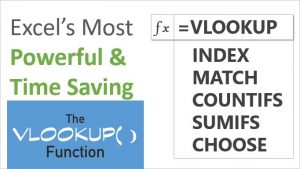
Lookup Functions in Microsoft Excel: A Must Know For Every Analyst & Manager Yesterday I wrote about the Text Functions in Microsoft Excel, and many
Most people have a lot of questions about Microsoft Excel. We answer some of the most frequently asked questions about Microsoft Excel here at Intellisoft
Join WSQ Funded Microsoft Excel Advanced Course in Singapore. Most people are looking for WSQ Advanced Excel Courses – Where they can learn about the
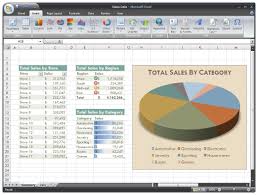
Use Excel Formulas to Automate Calculations Usually, I’ll jog in the evenings with my friend Mark 2-3 times a week. Mark is an exceptional runner
Excel Training for Mastery in Office Work : Courses in Singapore Microsoft Excel is used in almost every office, and almost all office workers use
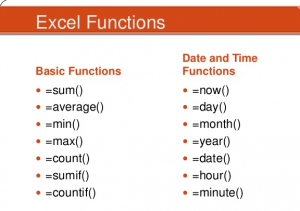
Useful Excel Text Functions – Intellisoft Training in Singapore There are many useful functions in Microsoft Excel, which are used in everyday work. Whether you